Delightful Booking Experience
Redesigning the online booking widget used by thousands of users daily.
Roll
Lead product designer
Overview
One of the main reasons business users are drawn to Yocale is its online presence and Google integration—both rely heavily on the online booking widget. Whether adding a “Book” button to a website or enabling “Book online” on Google Maps, this tool helps businesses reach their goals.
About the Online Booking Widget
Yocale’s booking widget is a dynamic, responsive solution that streamlines appointment scheduling across services—from salon visits to automotive maintenance. By integrating Google business discovery, intuitive scheduling, and frictionless payments, it enables users to book with their favorite businesses in just a few clicks.
Problem Space
While the Yocale platform evolved significantly, the booking widget received only incremental updates without a holistic redesign. As expectations shifted, drop‑off rates during booking increased. The interface became cluttered and unintuitive—signaling an urgent need for an overhaul focused on speed, clarity, and usability.
The Result
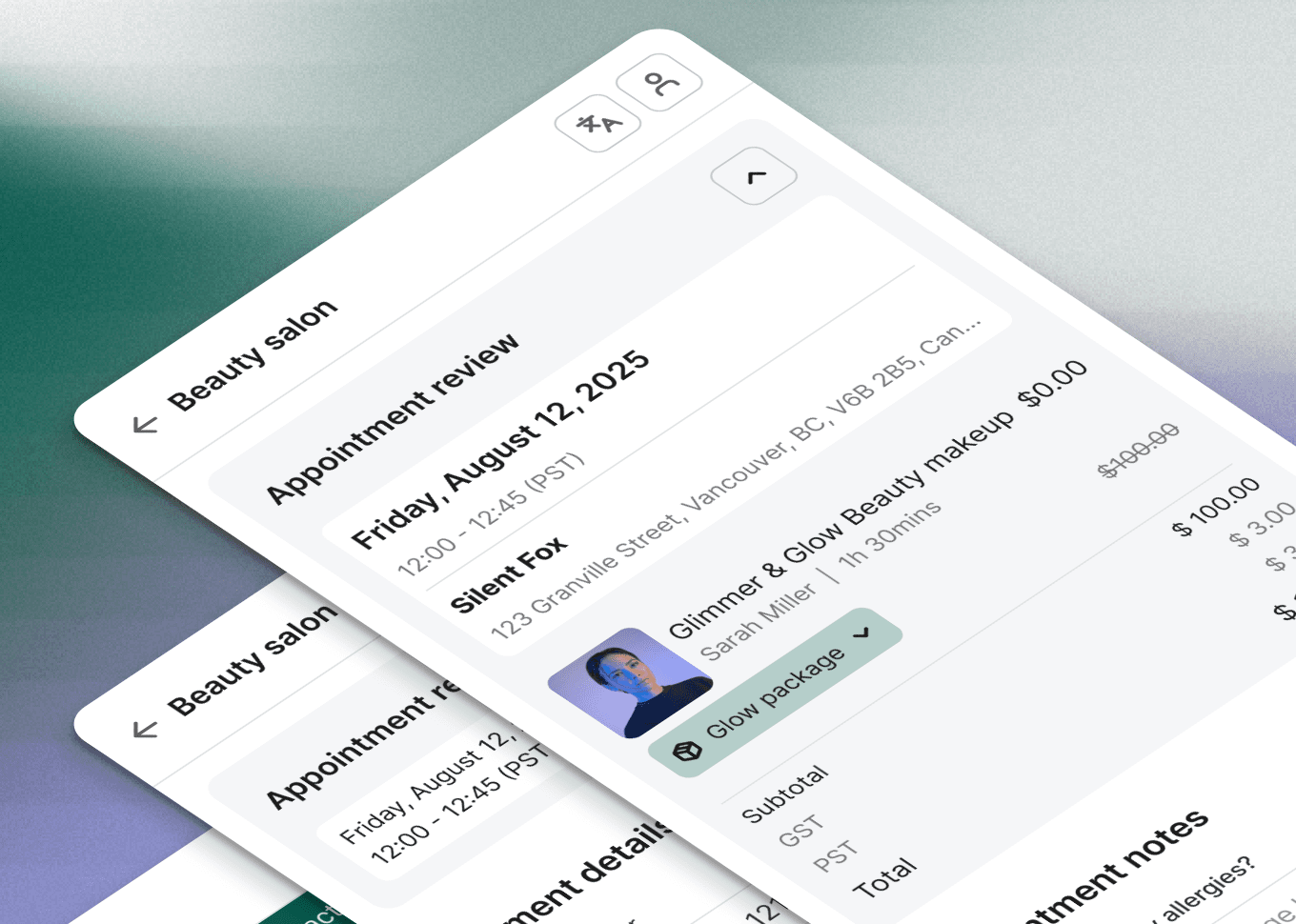
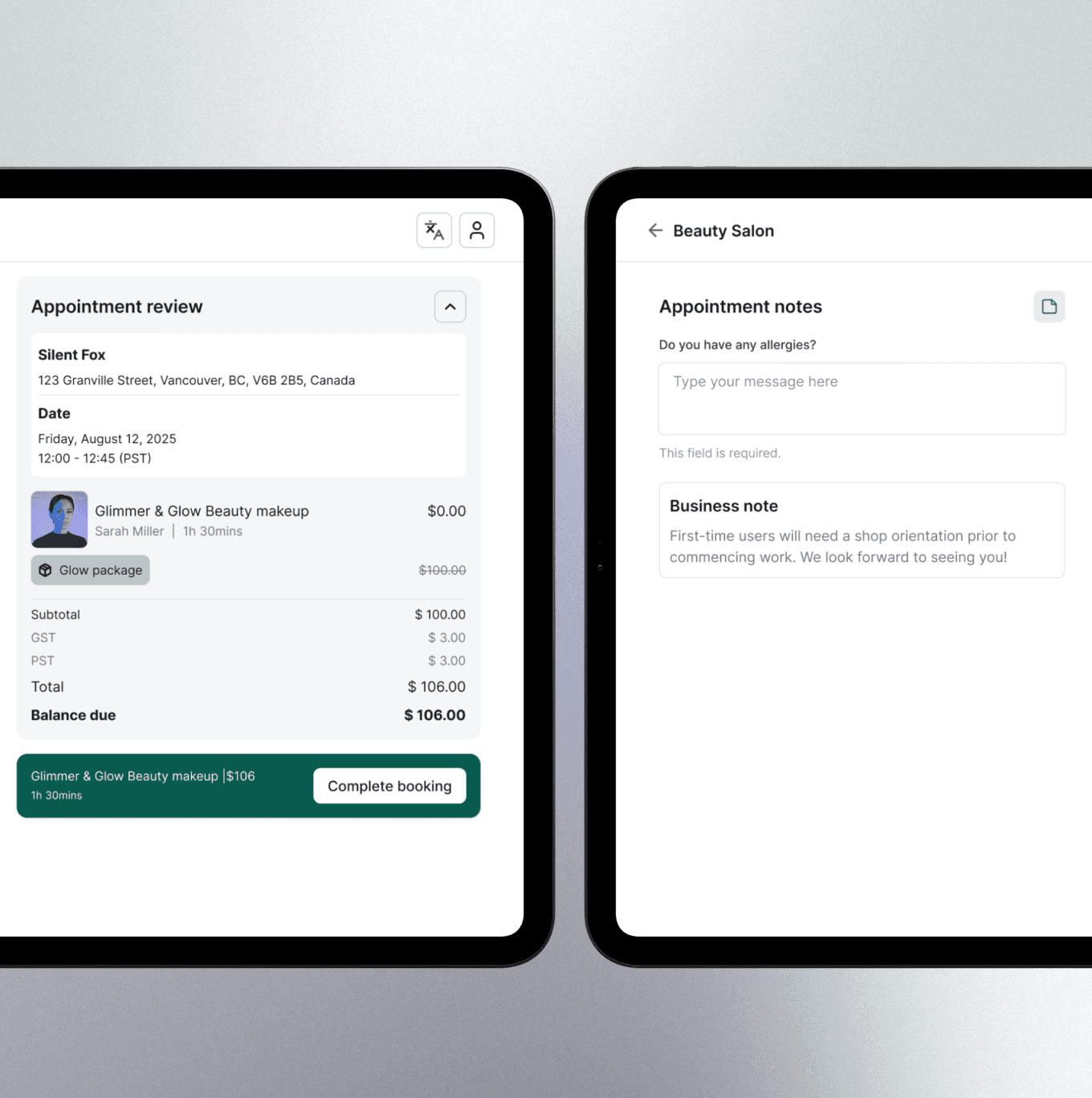
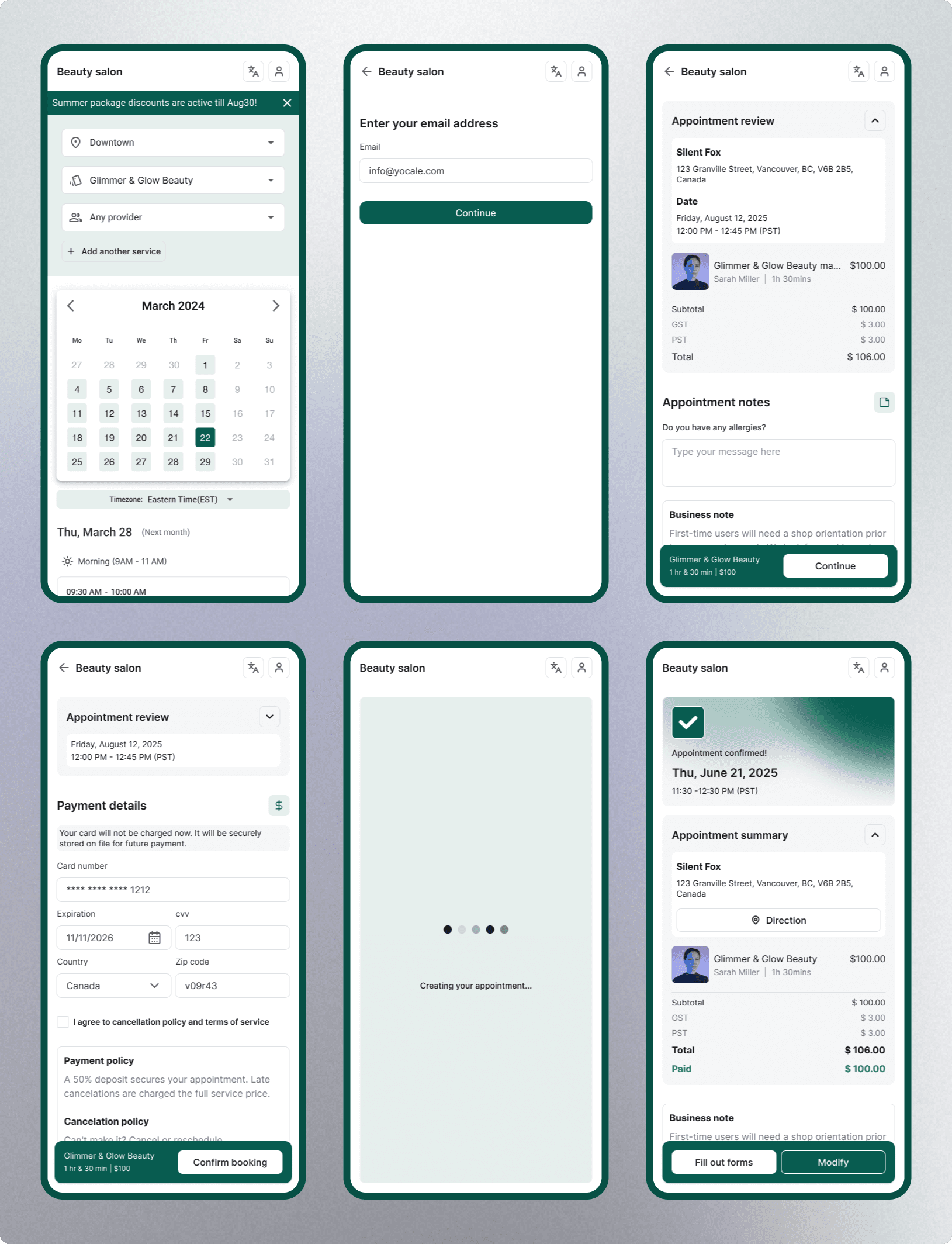
Our redesign centered on transforming the cart and checkout experience. By reducing cognitive load—minimizing unnecessary information and streamlining layouts—we created a faster, more intuitive flow. This user‑driven approach, informed by churn analytics and direct feedback, produced a booking experience that is easier to review and pay, driving measurable gains in conversion and satisfaction.
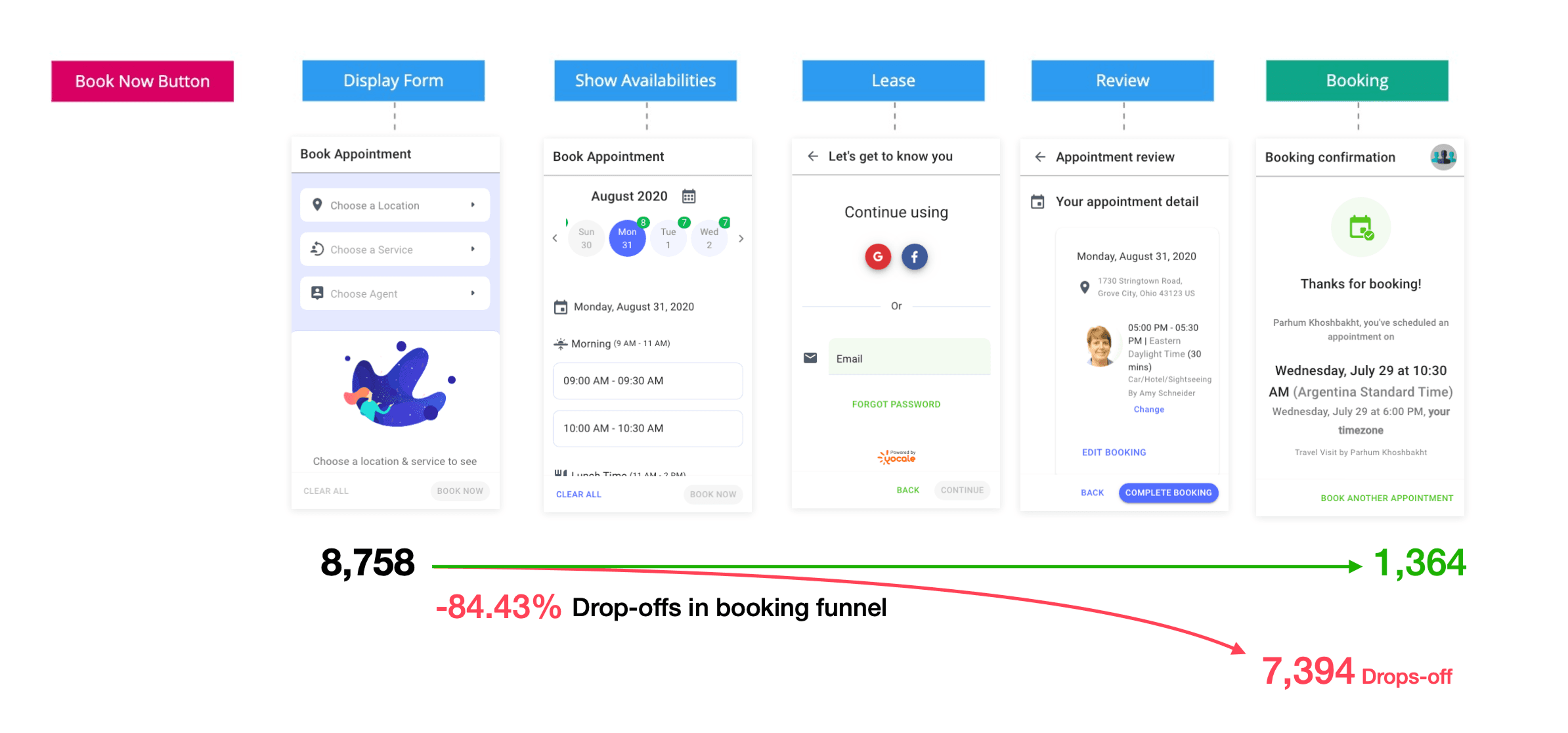
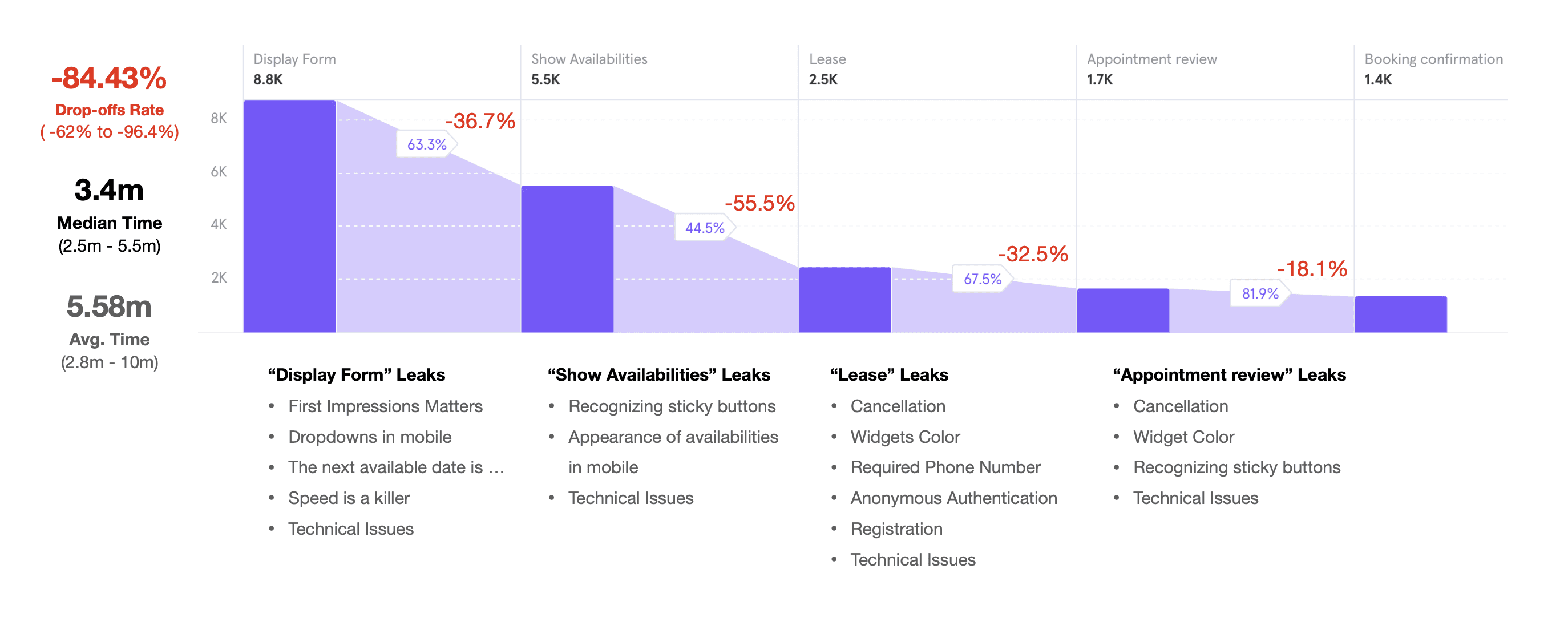
Starting Point for the Redesign
We ran several rounds of iterative design to simplify the flow and optimize for mobile‑first behavior. Each version targeted key usability gaps while introducing performance and accessibility improvements.
Version 1: Clearing Friction
•Resolved initial loading delays and fixed availability bugs that disrupted first impressions.
•Introduced a robust, responsive calendar to make time selection faster and more flexible.
•Replaced inconsistent buttons with fixed, larger controls for easier access on touch devices.
•Improved filtering for services, providers, and locations to help users narrow options more efficiently.
Version 2: Mobile - First Optimization.
•Rebuilt the layout with thumb‑friendly navigation patterns.
•Enlarged tappable areas and redesigned cards for easier scanning and interaction.
•Adjusted the white‑label color palette to improve contrast and readability across varied brand themes.
•Delivered a fully responsive design that scales seamlessly across phones, tablets, and desktops.
How might we streamline the booking flow to reduce steps and cognitive load, improving mobile conversion and minimizing cart abandonment?
Takeaway
With this redesign, booking became what it should have been from the start: simple and seamless. Whether on desktop or mobile, users complete appointments in fewer steps with more clarity and confidence.
For customers, that means fewer missed bookings, and for the business, improved retention and revenue. While there’s more work ahead, this release laid a strong foundation for ongoing improvements. Given our timeline and resources, we focused on changes with the greatest immediate impact. Since then, I’ve continued enhancing the booking experience, including redesigning the form view and search process to streamline it further.