Navigation Redesign: Helping Users Find Their Way
Designing a clear, trustworthy experience for a complex, high‑impact product.
Roll
Lead Product Designer
Overview
Yocale, founded in Vancouver, Canada, provides all‑in‑one scheduling and business management for small, medium, and enterprise service‑based businesses. It offers real‑time booking and management, plus tools that help professionals increase revenue and sustain their businesses.
Identifying the Key Challenges
This project evolved over a long period. I began noticing that new users struggled to navigate during onboarding and often couldn’t find what they needed. Through interviews, usability tests, and related projects, I gathered increasing evidence that navigation was critical to helping users feel comfortable with the system. There was a lot to learn—from the end‑to‑end user flow to future feature add‑ons and the new design system structure. My goal was to help businesses focus on what matters most instead of struggling with the UI.
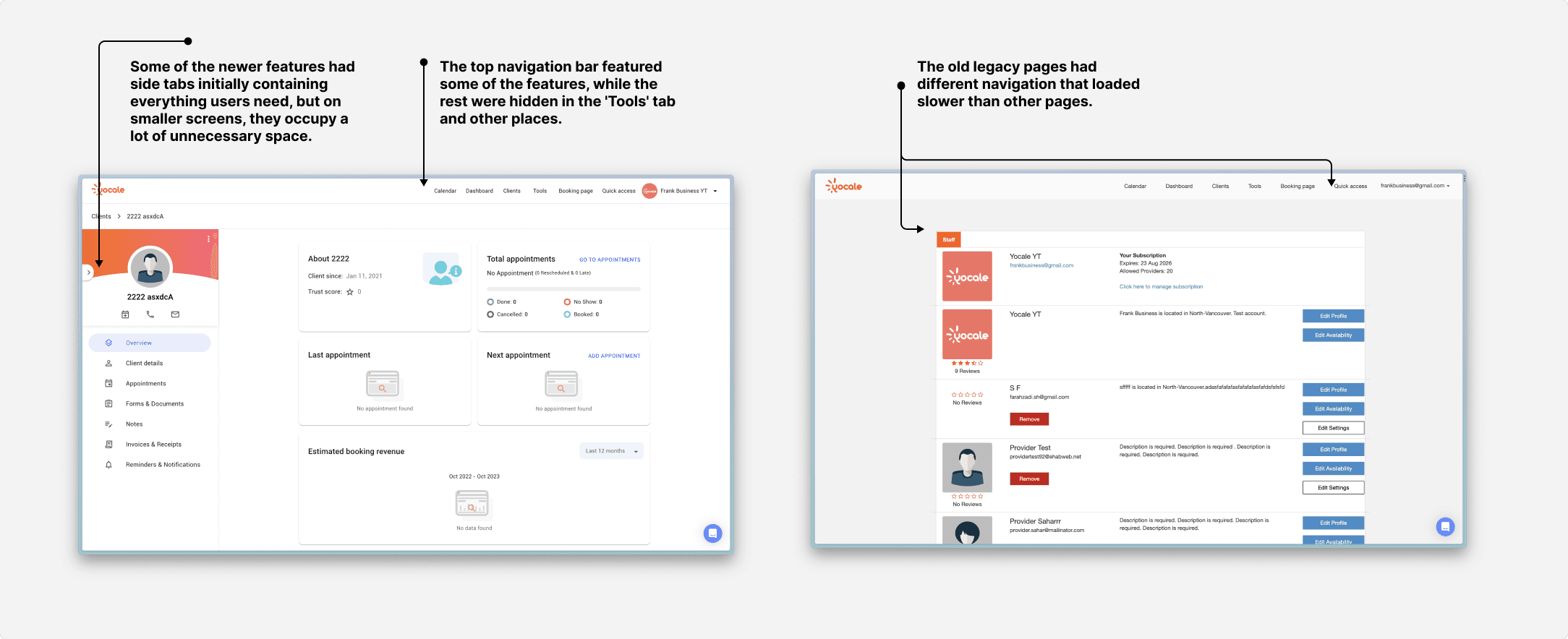
Overwhelming Complexity
As new users begin onboarding, many feel lost, unable to locate the features they need most. Analytics show that nearly a third struggle within their first five minutes, and some give up before completing setup. Interviews and usability tests revealed that the confusion isn’t just about unfamiliarity—it’s about mismatched expectations.
Misaligned Previous Designs
Earlier iterations missed core user needs and business goals, necessitating a fresh, user‑centered approach. In a card‑sorting exercise, users repeatedly grouped “Invoices” under “Clients,” revealing how far the current structure strays from their mental models.
Enterprise managers seek quick access to reports and settings.
Business owners want to manage clients and settings with ease.
Staff members look for calendars and payment tools.
Mental Model Differences
Watching new users attempt basic tasks, we saw hesitation and uncertainty. Tabs like “Tools” became stumbling blocks, and essential actions like “System Setup” were buried too deep to be found quickly. These moments of friction highlighted a simple truth: our navigation needs to be more than functional—it has to feel intuitive from day one.
How might we design navigation that feels easy to grasp during onboarding, yet becomes second nature for daily users—so the first experience sets the tone for effortless everyday use?
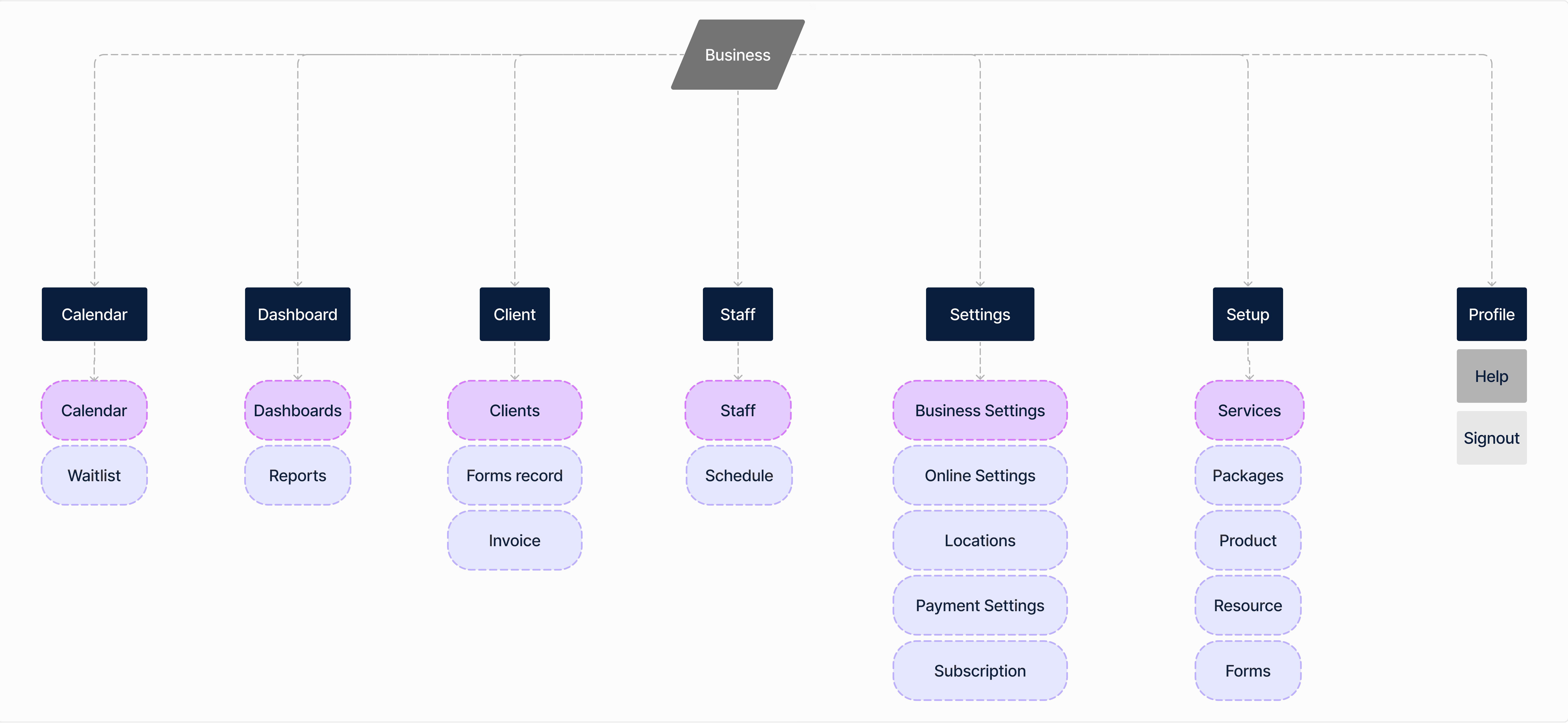
Ideation & Design Process
Creating Better Information Architecture
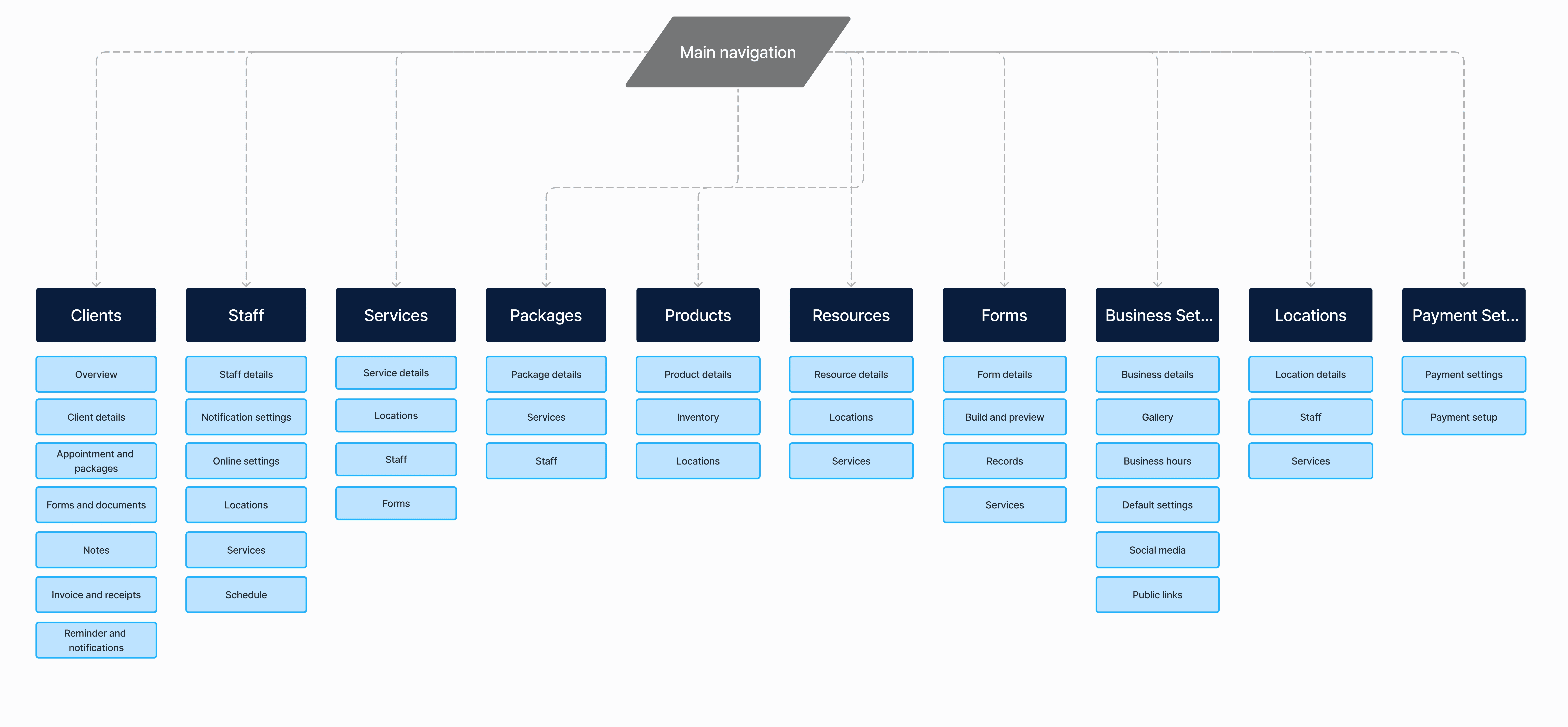
With input from PMs and stakeholders, I mapped the IA for current features and planned add‑ons, designing a navigation system that’s easy to expand. The goal was a structure that supports what exists today and the essential capabilities we’ll need soon—without breaking the flow.
Testing and Design
We conducted card‑sorting sessions and built multiple wireframes to validate the new architecture and understand how users perceive and group concepts. The goal was to deliver a familiar experience for users who have tried many platforms. I ran competitive analysis, studied user mental models, and drew inspiration where it improved clarity, so navigation works the way users expect.
The Approach
Calm and Modern Visual Identity
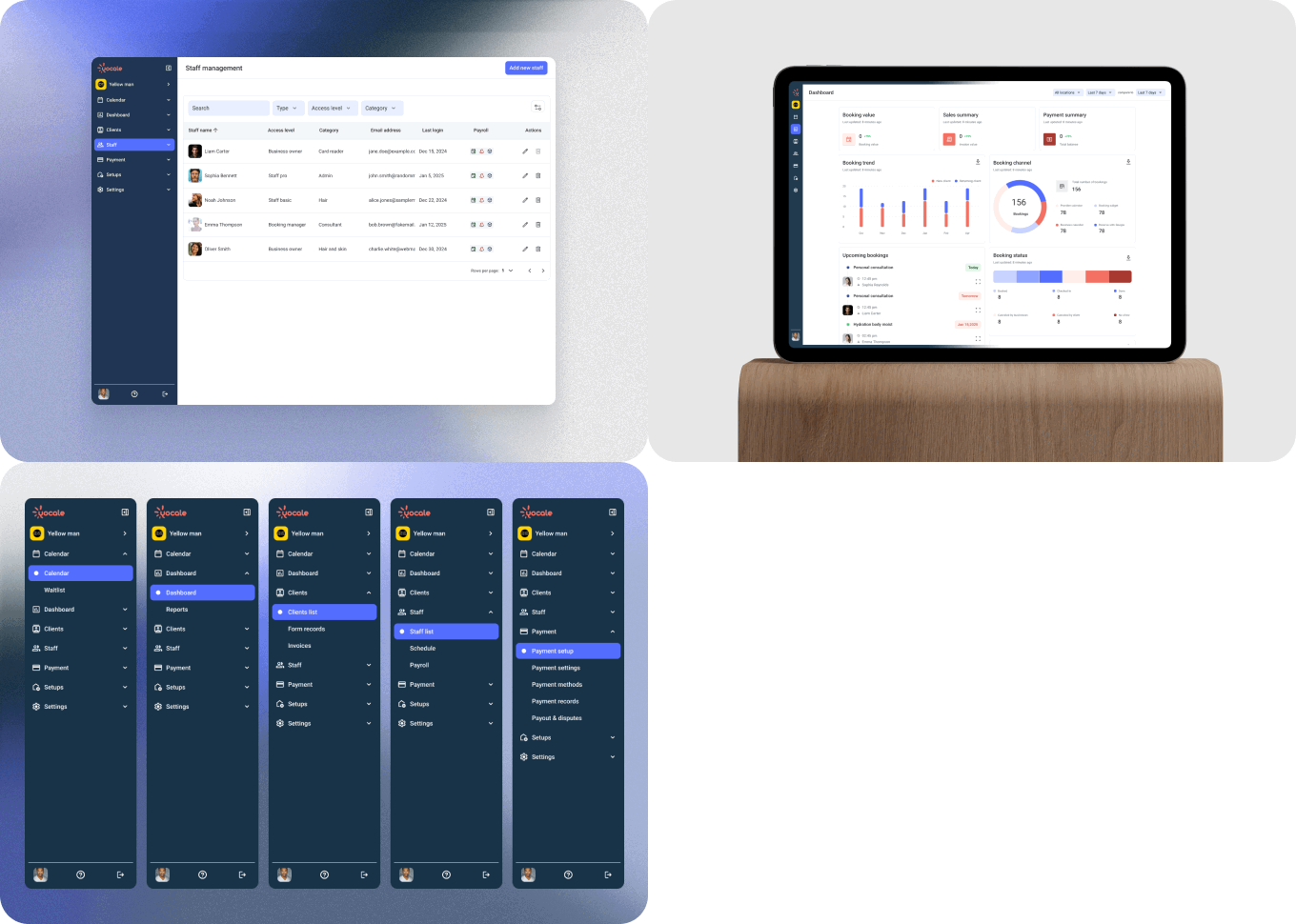
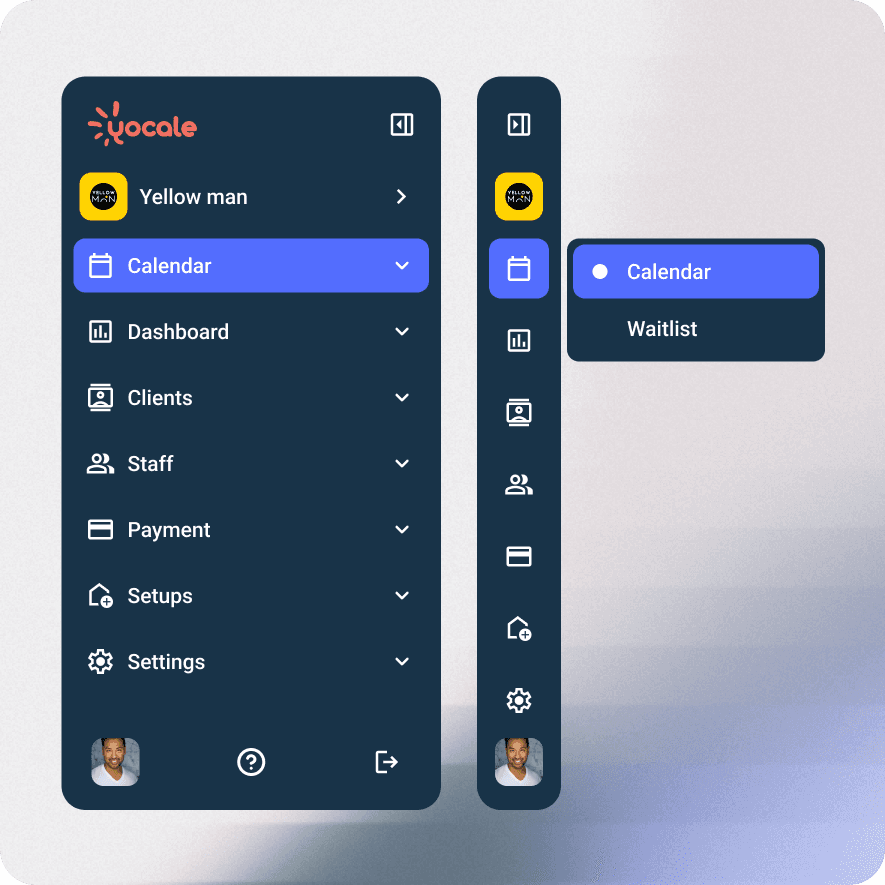
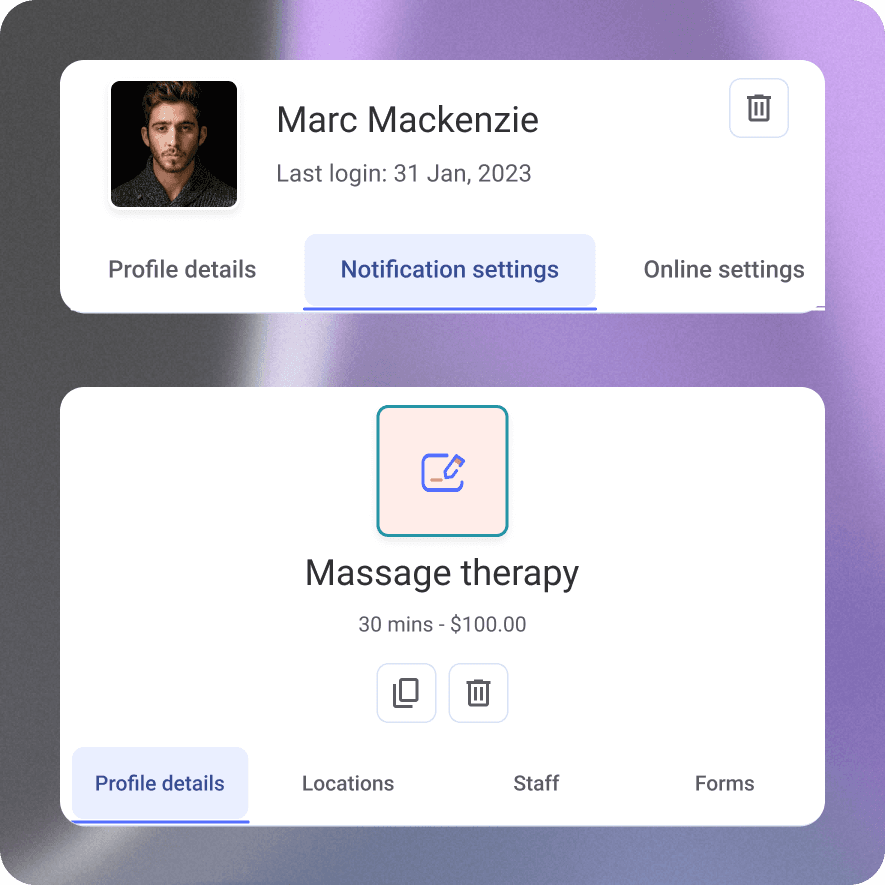
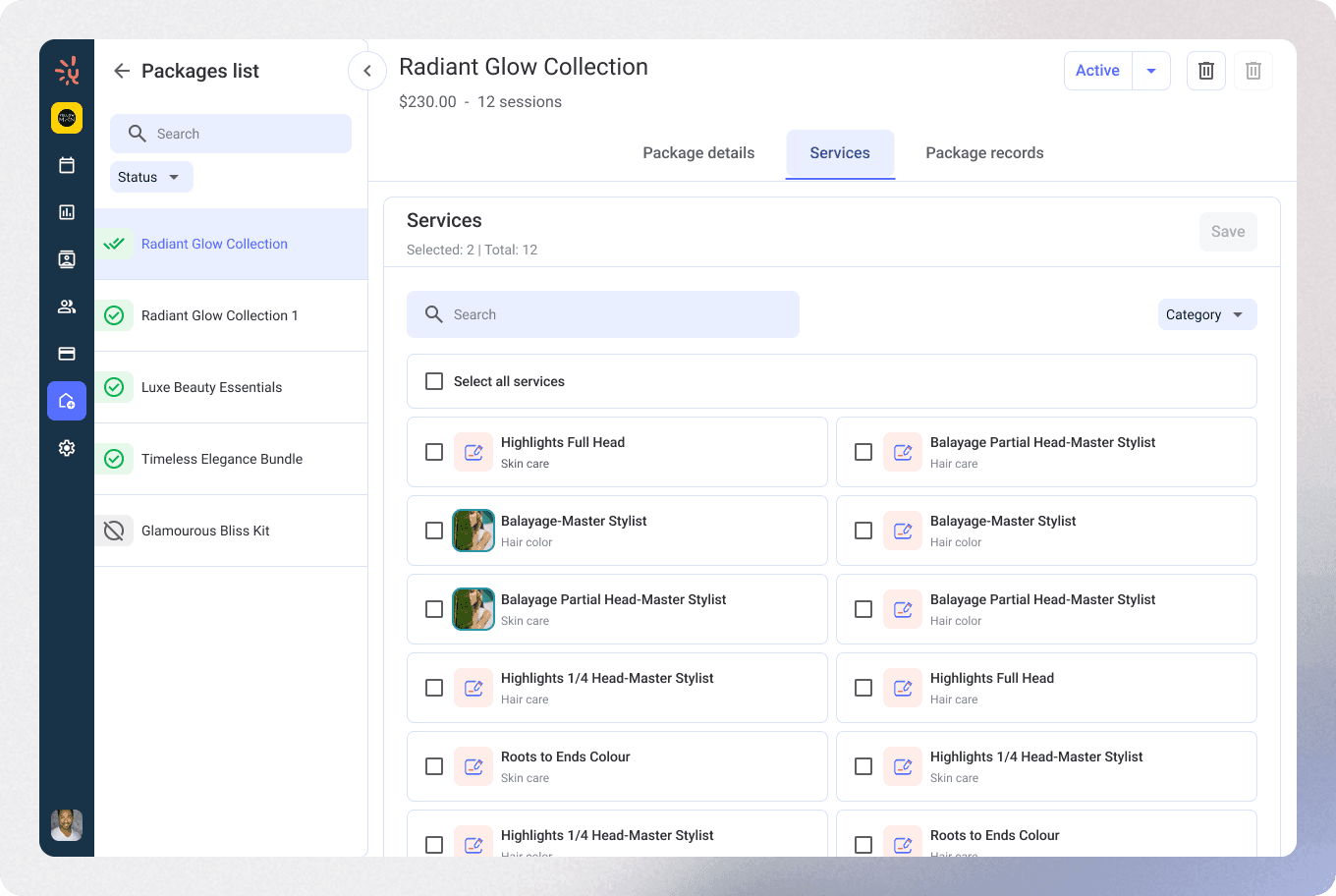
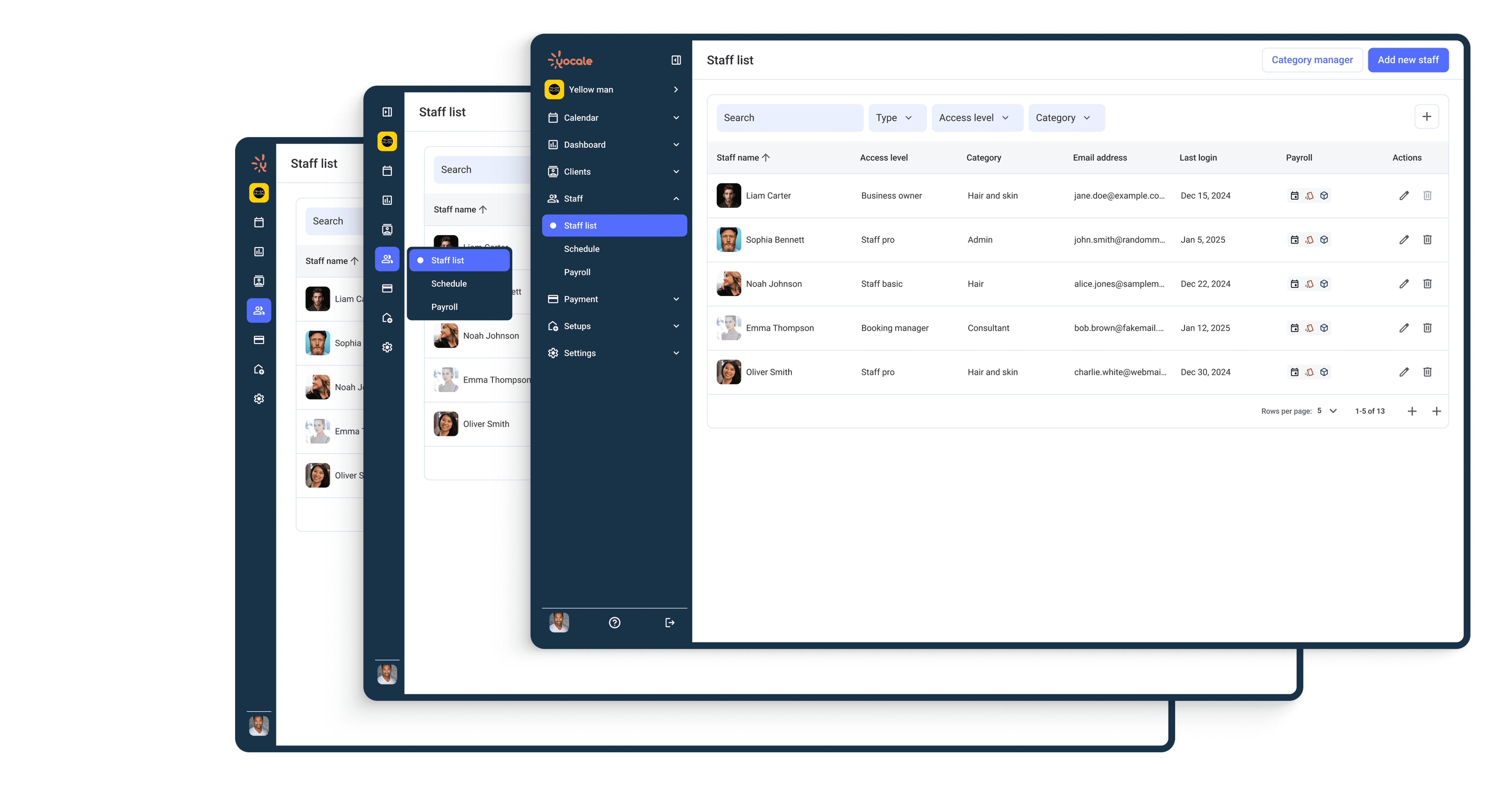
Combine a side navigation bar with horizontal tabs on inner pages to make content easy to scan, so users can move from page to page without hesitation.
Visuals That Breathe
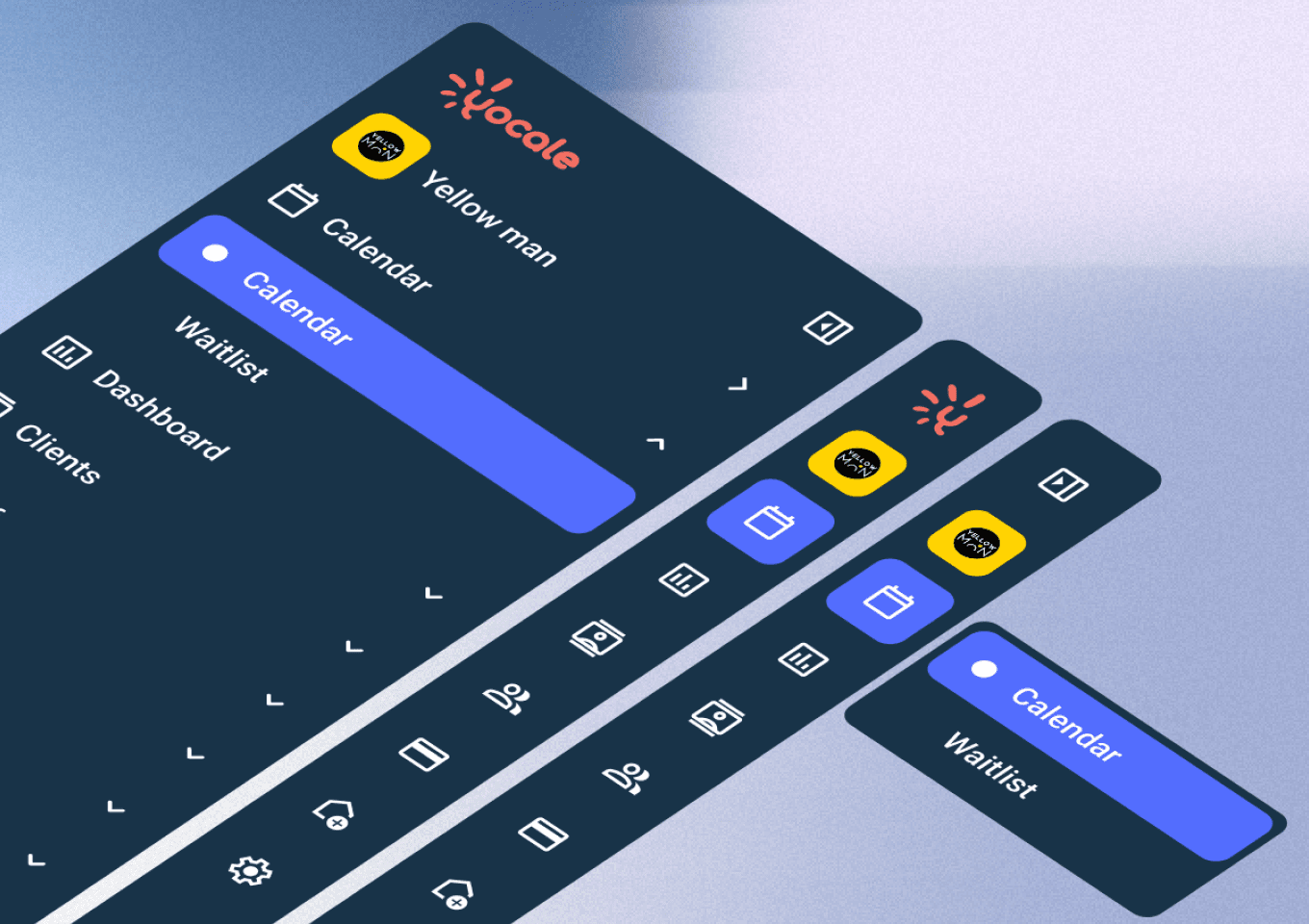
Distinct navigation states help users work the way they prefer—collapse the sidebar for more real estate, or keep it expanded to switch between features faster.
Built as a System
Modular components designed to work across web and product—scalable, simple, and consistent.
Takeaway
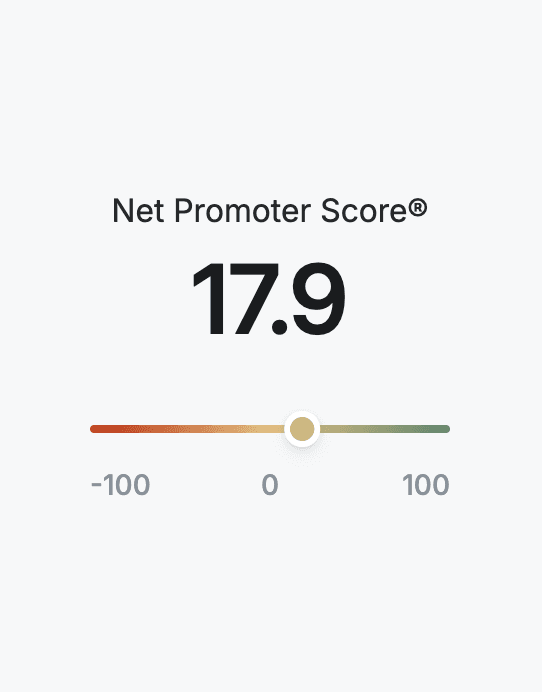
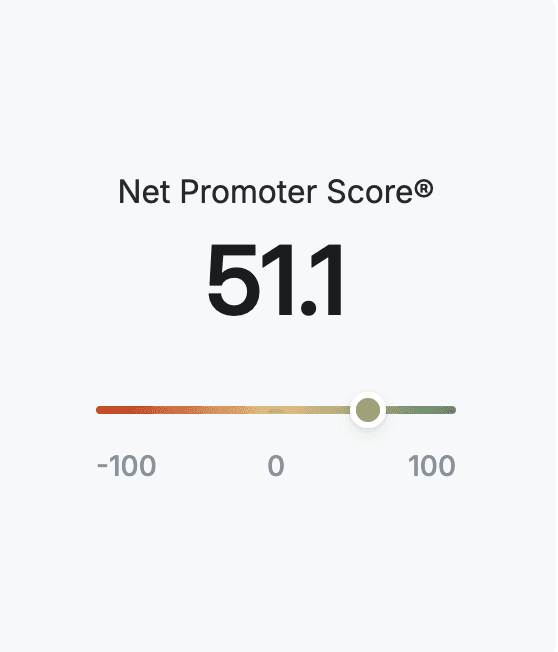
This project was developed alongside an enhanced design system and new components, released together to boost overall usability. As with any major update, we expected feedback from longtime users—but it was largely positive. Our NPS improved from 17.9 to 51.1, accompanied by positive comments from both existing and new users.